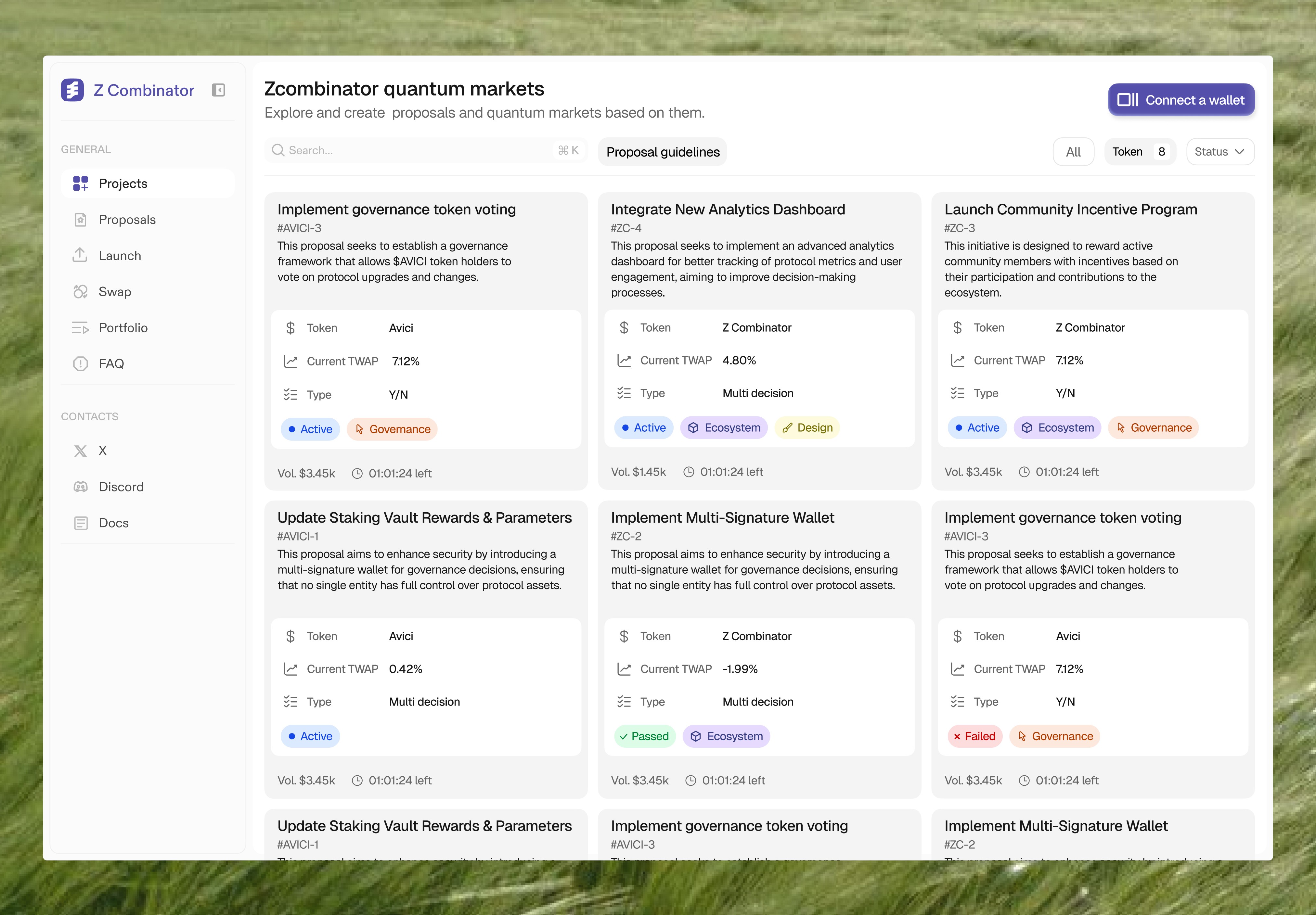
LP Agent helps liquidity providers track their positions, monitor profits and losses, and manage their portfolios as part of their daily workflow.
Desktop
Web3
Dashboard
Scope
UX/UI Design, Product Strategy, Design system
Time
Oct 2025 - Nov 2025
7 → 3
steps to main action
80%
delivery
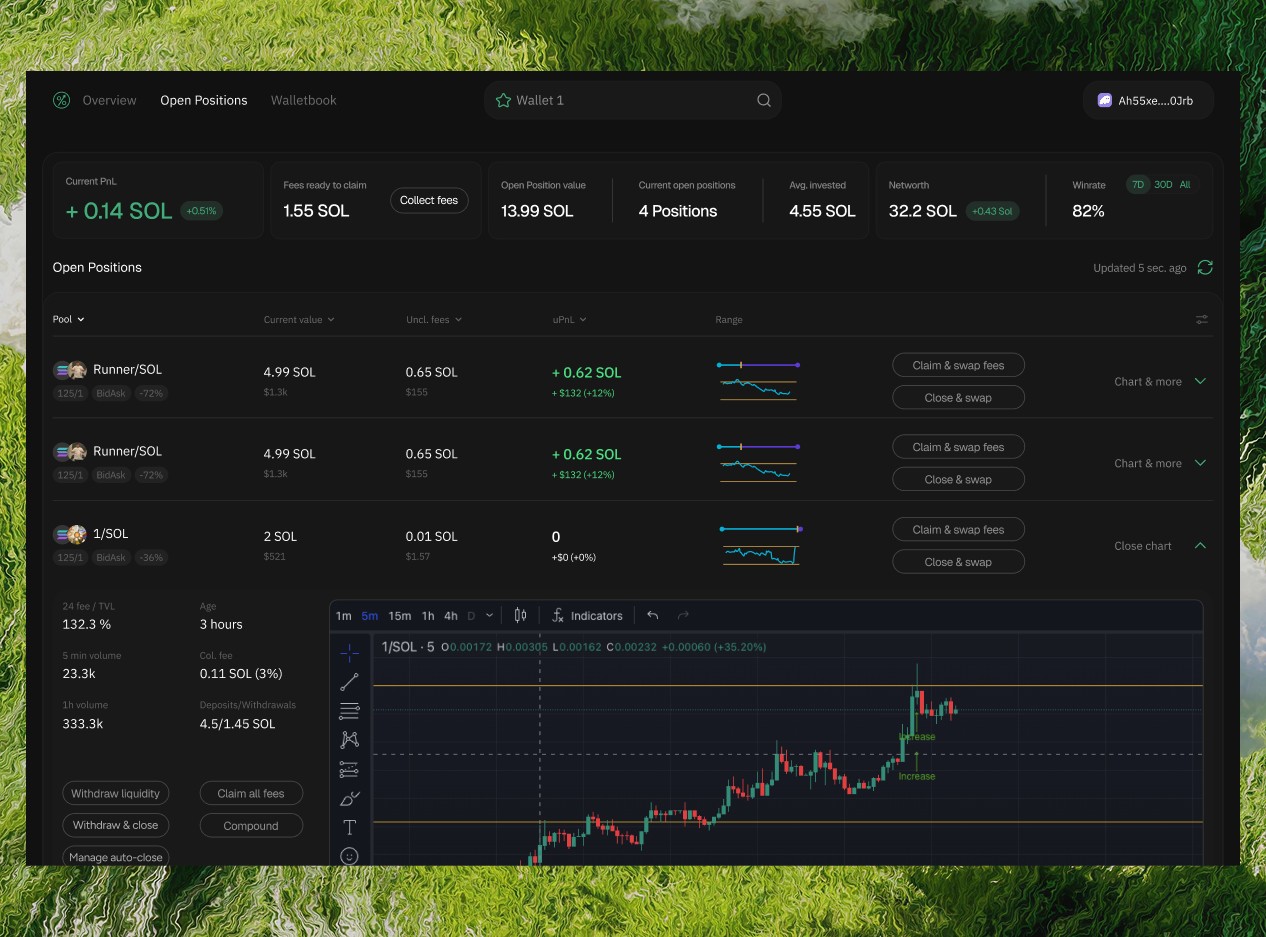
Problem
LP Agent lacked a clear UX structure, making portfolio management more difficult for liquidity providers. The interface was overloaded with information, increased cognitive load, and made it harder to trust PnL calculations, navigate positions, and take timely actions.
Research
My research started with a review of liquidity management tools and DEX interfaces. As an active liquidity provider myself, I already understood the core challenges - tracking positions across pools, reading real PnL, managing impermanent loss, and reacting quickly to market changes.
The benchmarking and review analysis showed recurring product gaps: overloaded interfaces, weak visual hierarchy, low trust in reporting, and slow access to key actions.
I analyzed 45 survey answers and identified main goals:
9.1%
use LP Agent to copy trade
90.9%
monitoring their own wallet
72.7%
monitoring other's wallet
62.2%
22%
reported difficulty finding key information
Mapping
Research clarified what LPs actually need from the experience - fast access to critical data, clear portfolio visibility, and confidence when making decisions. Also, despite the product’s copy trading positioning, most users mainly used it to monitor their own positions - track PnL, fees, and range status.
Interviews also showed why copy trading was used cautiously: users saw it as unreliable and risky, since copied wallets often changed behavior. As a result, they valued tools that support faster independent decisions much more.
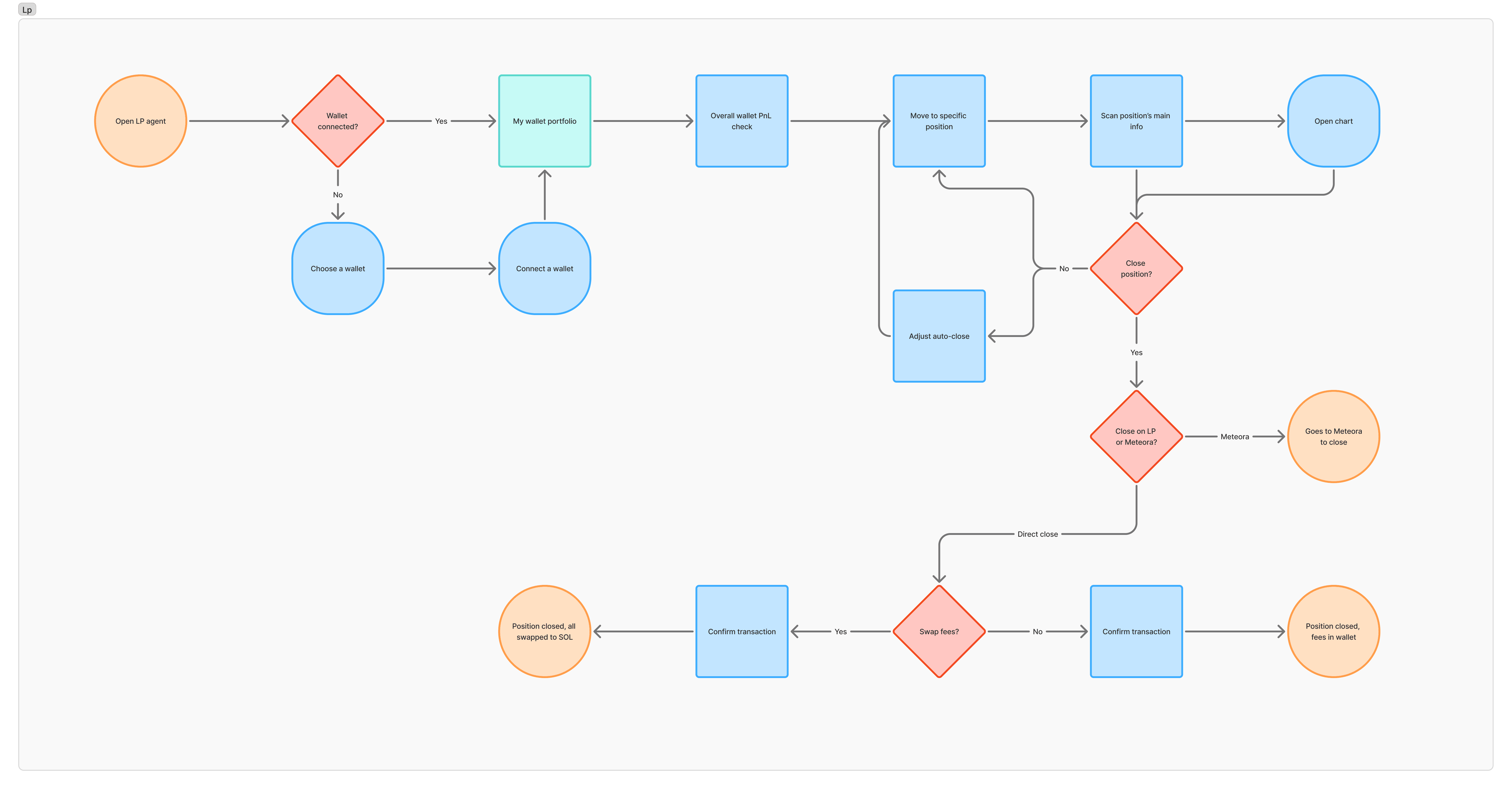
I crafted JTBD and user flows to help translate research into a clearer product structure and stronger UX decisions. They shaped the key priorities of the redesign and guided a simpler, more intuitive portfolio experience.
— Prioritize real PnL, fees, and range status in the top information layer
— Shift the product focus from copy trading to portfolio monitoring
— Make close and adjust liquidity actions easier to access
— Surface critical signals for 1-second scanning
— Remove or downplay secondary information that slows decision-making
— Improve trust through clearer reporting and portfolio logic
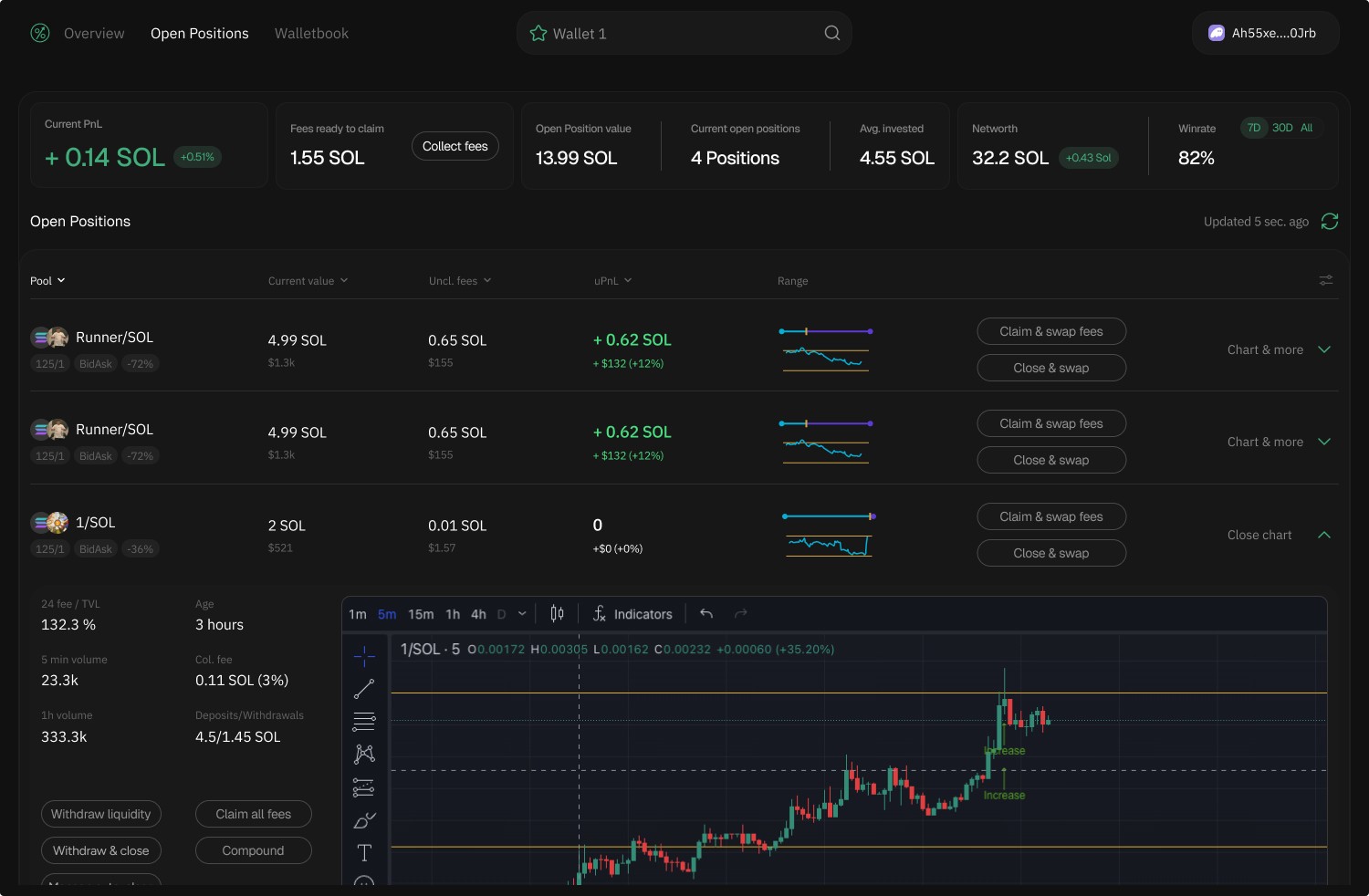
Split the LP experience into two focused surfaces — Overview for monitoring and Open Positions for execution. The Open Positions screen is designed specifically for active position management, where users can quickly assess performance and take immediate action.
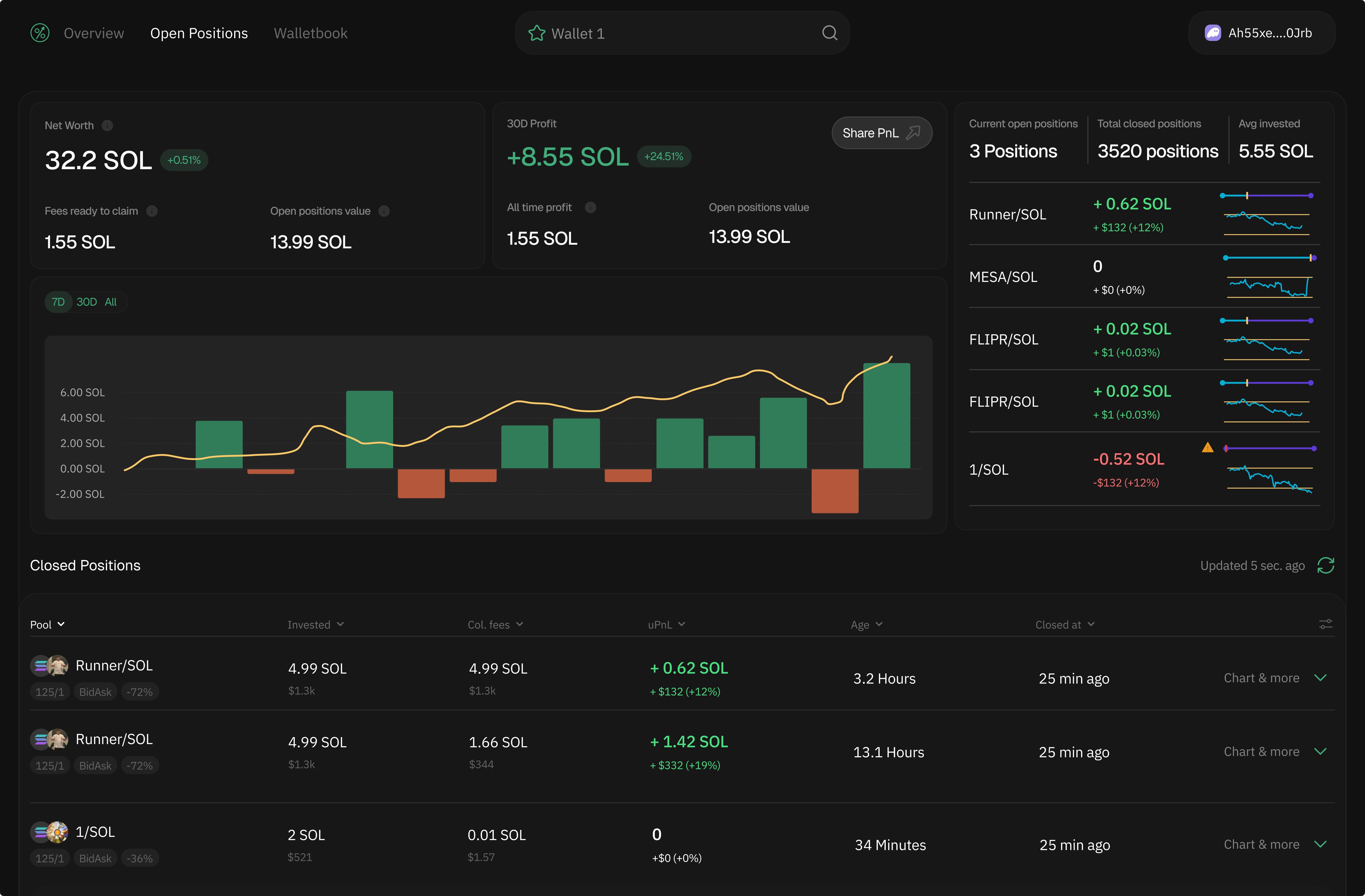
Defined Overview as a high-level monitoring surface, complementing Open Positions as the execution layer. This screen helps users understand overall performance, track portfolio dynamics, and identify trends before taking action.
Usability testing confirmed that the redesign better supports LP decision-making. Users understood portfolio state faster, navigated with less friction, and acted more confidently. A clearer hierarchy and better signal visibility reduced cognitive load and made the experience more actionable.
45% faster
Completion of core tasks
7 to 3
Reduced steps to core action
80%
Tasks success rate in UX tests